


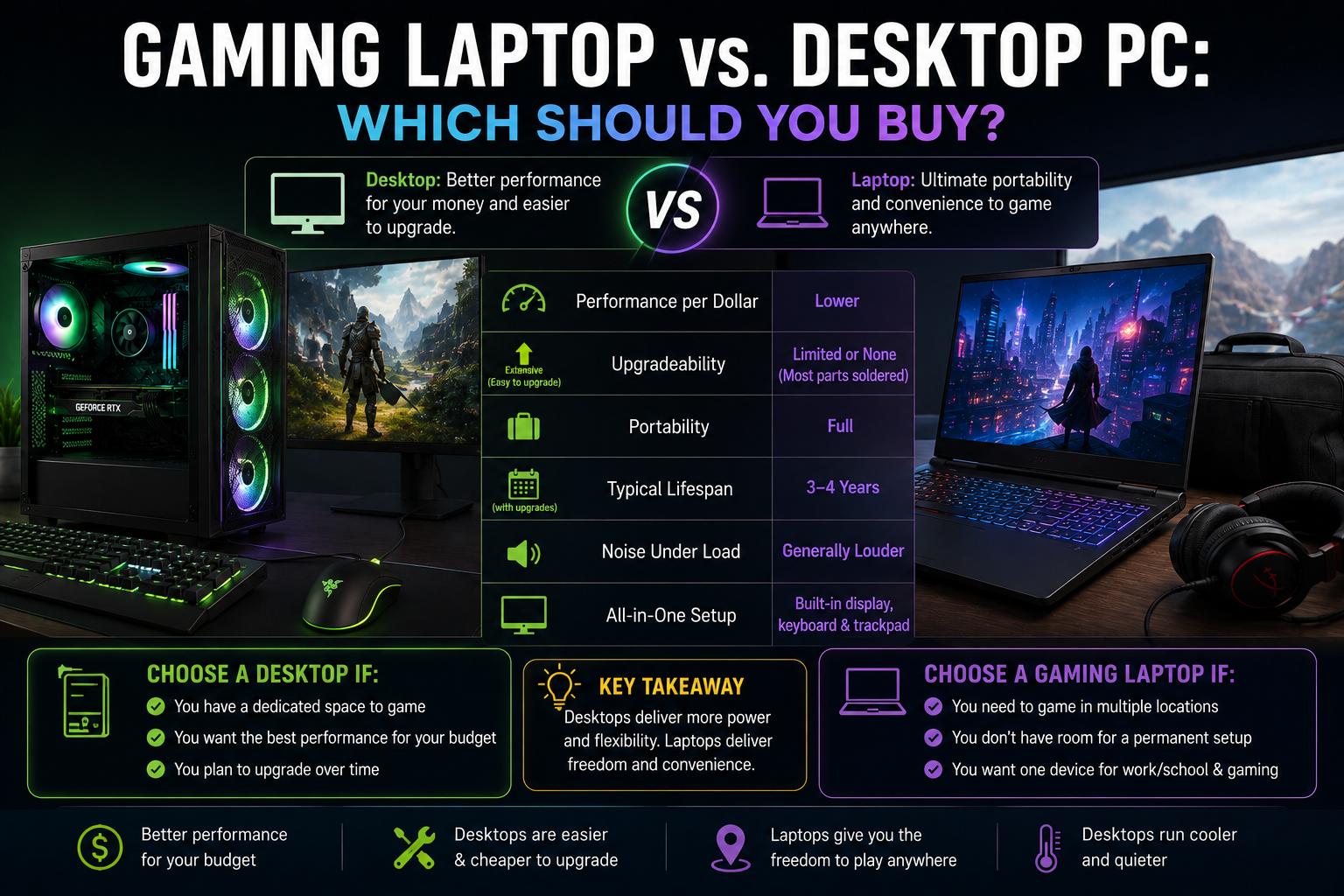
Quick answer: A desktop PC offers significantly better performance per dollar and is easier to upgrade over time, making it the better choice if portability isn’t a priority. A gaming laptop is the right call if you need to game away from home, in shared spaces, or while traveling — you’ll pay more for the same performance level, but get mobility a desktop simply can’t offer.
This isn’t a question of which is objectively better — it’s a question of which trade-offs fit your actual life. Here’s how they compare across the factors that matter most.
Performance Per Dollar
At the same price point, a desktop consistently outperforms a laptop. Desktop components run cooler with more room for airflow, aren’t constrained by battery life or a thin chassis, and don’t carry the cost premium that comes with miniaturizing high-performance parts. A $1,200 desktop build will generally outperform a $1,200 gaming laptop by a meaningful margin.
Upgradeability
Desktops win here decisively. You can swap a GPU, add RAM, or upgrade storage on a desktop years after building it, extending its useful life significantly. Gaming laptops are far more limited — many current models only allow RAM or storage upgrades, if that, since GPUs and CPUs are typically soldered directly to the motherboard for space reasons.
Portability
This is the one category where laptops win outright. If you need to game at a friend’s place, during travel, in a dorm, or just don’t have a dedicated desk setup, a laptop is the only real option — no desktop, however powerful, changes that.
Cost of a Full Setup
A desktop’s sticker price often doesn’t include a monitor, keyboard, and mouse, while gaming laptops bundle a display in — worth factoring into your budget comparison rather than comparing raw unit prices directly.
If you’re building a desktop and need a gaming monitor too, that’s an additional cost to plan for — a decent 1080p 144Hz monitor typically starts around $150-$200, while a strong 1440p option runs $250-$400+.
Noise and Heat
Desktops generally run quieter under load, since larger cases allow for bigger, slower-spinning fans that move the same amount of air with less noise than a laptop’s compact cooling system working overtime.
Longevity
A well-built desktop can stay relevant for 5+ years with incremental upgrades (a new GPU here, more RAM there). A gaming laptop’s fixed hardware means its useful lifespan for demanding new games is usually shorter, typically 3-4 years before it starts struggling with current titles at reasonable settings.
Quick Comparison
| Desktop | Gaming Laptop | |
|---|---|---|
| Performance per dollar | Higher | Lower |
| Upgradeability | Extensive | Limited or none |
| Portability | None | Full |
| Typical lifespan | 5+ years with upgrades | 3-4 years |
| Noise under load | Generally quieter | Generally louder |
| All-in-one setup | Requires separate monitor/peripherals | Built-in display |
Which Should You Choose?
- Choose a desktop if you have a dedicated space to game, want the best performance for your budget, and plan to upgrade components over time rather than replace the whole system
- Choose a gaming laptop if you genuinely need to game in multiple locations, don’t have room for a permanent setup, or want a single device that also works for school/work on the go
Frequently Asked Questions
Is a gaming laptop worth it over a desktop? It depends on whether portability matters to you. A gaming laptop is worth it if you need to game away from a fixed location; otherwise, a desktop offers significantly better performance for the same price.
Why are gaming laptops so much more expensive than desktops with similar specs? Miniaturizing high-performance components to fit a thin chassis, plus adding a built-in display, battery, and efficient cooling in limited space, all add cost that a desktop doesn’t need to account for.
Can you upgrade a gaming laptop like a desktop? Generally no, or only in limited ways — most gaming laptops allow RAM or storage upgrades at most, since the GPU and CPU are typically soldered to the motherboard.
Decided a desktop is the right call? See our complete step-by-step gaming PC build guide and full cost breakdown by budget tier to get started.
